Delete a Theory of Change
Procedure of deleting a theory of change
Theories of Change can also be removed from the database. To delete a Theory of Change, navigate to the 'Theories of Change' section. Locate the desired entry within the list of cards and click the trash icon. A confirmation dialog will appear, prompting you to confirm your action.
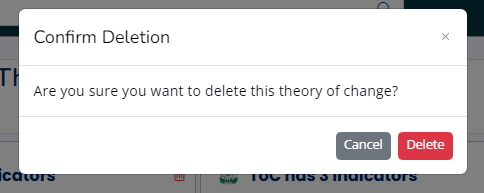
Confirm your action by clicking the Delete button. The Theory of Change will removed from the list.
What Happens After Deleting a Theory of Change
The M&E Monitor is designed to implement soft deletes for all Theories of Change (ToCs) in the database. As a result, deleted ToCs will be moved to the Trash, allowing for restoration in case of accidental deletion.
What Happens After Permanent Deletion of a Theory of Change
Permanently deleting a Theory of Change will disassociate all indicators previously linked to it. The system administrator will need to locate these indicators and associate them with a new Theory of Change in the system. It is advisable to create the new Theory of Change prior to performing a permanent deletion.